Skip to content
Phaser Games
  • Home
  • Tutorials
    • Phaser 3
    • Basics
    • Intermediate
    • Advanced
    • Games
    • Set Up Phaser 3 Project Template
  • Resources/Tools
    • Getting Started
    • List Of Resources
    • Phaser 3 Text Designer Tool
  • Snippets
    • Phaser 3 Snippets
      • Phaser 3 Starter Snippets
      • Phaser 3 Sprite Snippets
      • Phaser 3 Time Snippets
      • Phaser 3 Tween Snippets
      • Phaser 3 Animation Snippets
      • Phaser 3 Physics Snippets
      • Phaser 3 TileMap Snippets
    • Phaser CE Snippets
      • Phaser Starter Snippets
      • Phaser Sprite Snippets
      • Phaser Physics Snippets
      • Phaser Button Snippets
      • Phaser Text snippets
      • Phaser Tween Snippets
      • Phaser Sounds Snippets
      • Phaser Game Snippets
      • Phaser Snippets Miscellaneous
      • Phaser MVC Snippets
      • Phaser Class Snippets
  • Shop & Freebies
  • Purchase History
  • Contact

Loading TIleMaps in Phaser 3 and JSON

Leave a Comment / Phaser 3 / William

In my last post, I went over how to load tileMaps in phaser 3 using arrays. It is a good method for loading small maps, but most game developers use tools like the Tiled Map editor to create large maps. When we use tools like this, we need to load the map from a JSON […]

Loading TIleMaps in Phaser 3 and JSON Read More »
How to use Phaser 3 TileMaps

Leave a Comment / Phaser 3 / William

TileMaps in Phaser 3 are very popular with developers because they allow us to rapidly build worlds for our players to explore. Not just in Phaser! Most modern game frameworks support TileMaps. I’ll admit I’ve had trouble with tileMaps in Phaser 3 before. I kept giving up and writing code to get around them. I

How to use Phaser 3 TileMaps Read More »

Floating in Phaser 3

Leave a Comment / Q&A / William

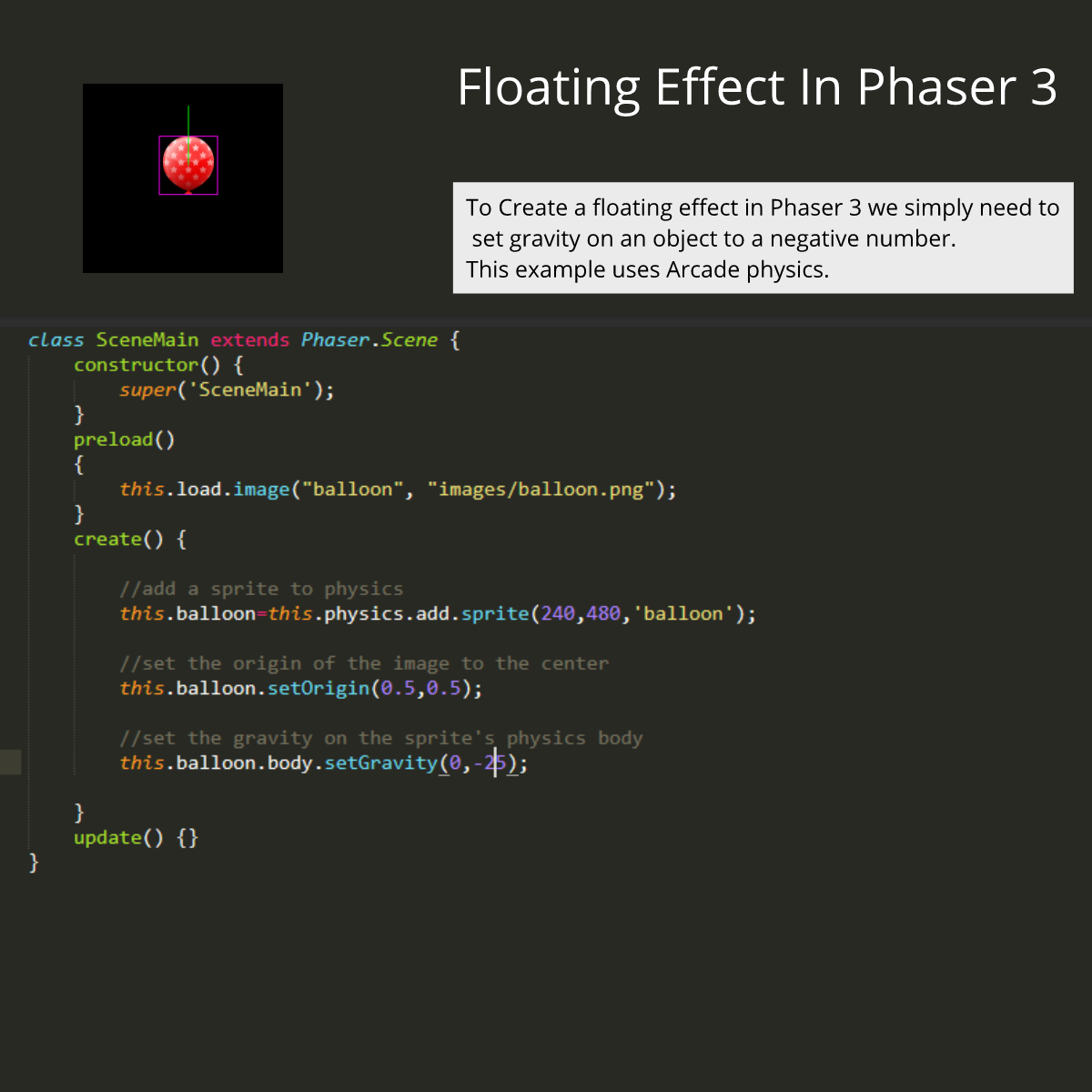
If you are using balloons in your game, then you’ll want to make them float. To use floating in Phaser 3, you simply need to use a negative value for the Y property of gravity. To make an object float diagonally simple set the X property. Check out this code sample to see what I

Floating in Phaser 3 Read More »

How to make a health bar in Phaser 3

Leave a Comment / Q&A / William

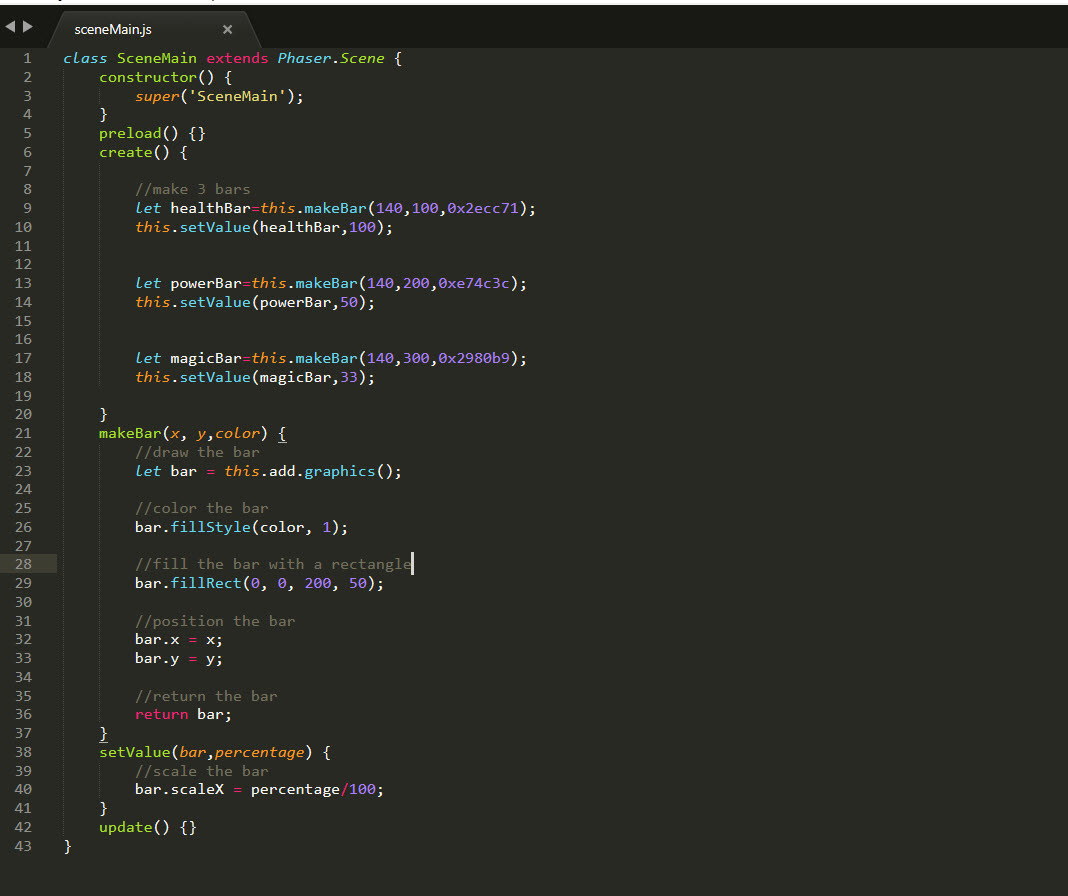
Anyone who has ever made an RPG game knows how important health bars can be to a game. However, this technique can also be used for timer bars or loading progress. This uses Phaser’s built-in graphics class and uses no images.

How to make a health bar in Phaser 3 Read More »

How to flip a sprite in Phaser 3

Leave a Comment / Q&A / William

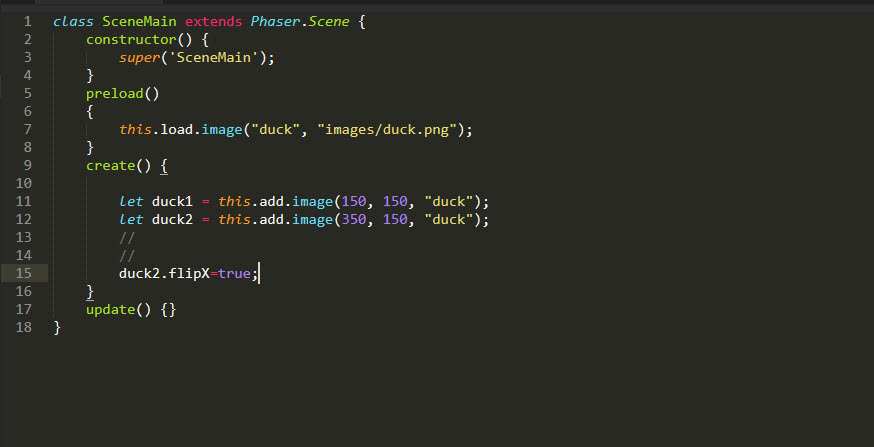
For a long time I was using this.sprite.scaleX=-1 like I learned to do in ActionScript 3. The trouble is, if you have scaled your sprite, you need to do a little more maths. The flipX and flipY make everything much cleaner and much easier to flip a sprite in Phaser 3

How to flip a sprite in Phaser 3 Read More »

How to Double Click in Phaser 3

Leave a Comment / Q&A / William

One of the things missing from a lot of modern frameworks is the ability to detect a double click. When you come down to it, a double click is simply 2 single clicks close together. All we really need to do is measure the time between clicks. We can do that by measuring the delta

How to Double Click in Phaser 3 Read More »

How to get Delta Time in Phaser 3

Leave a Comment / Q&A / William

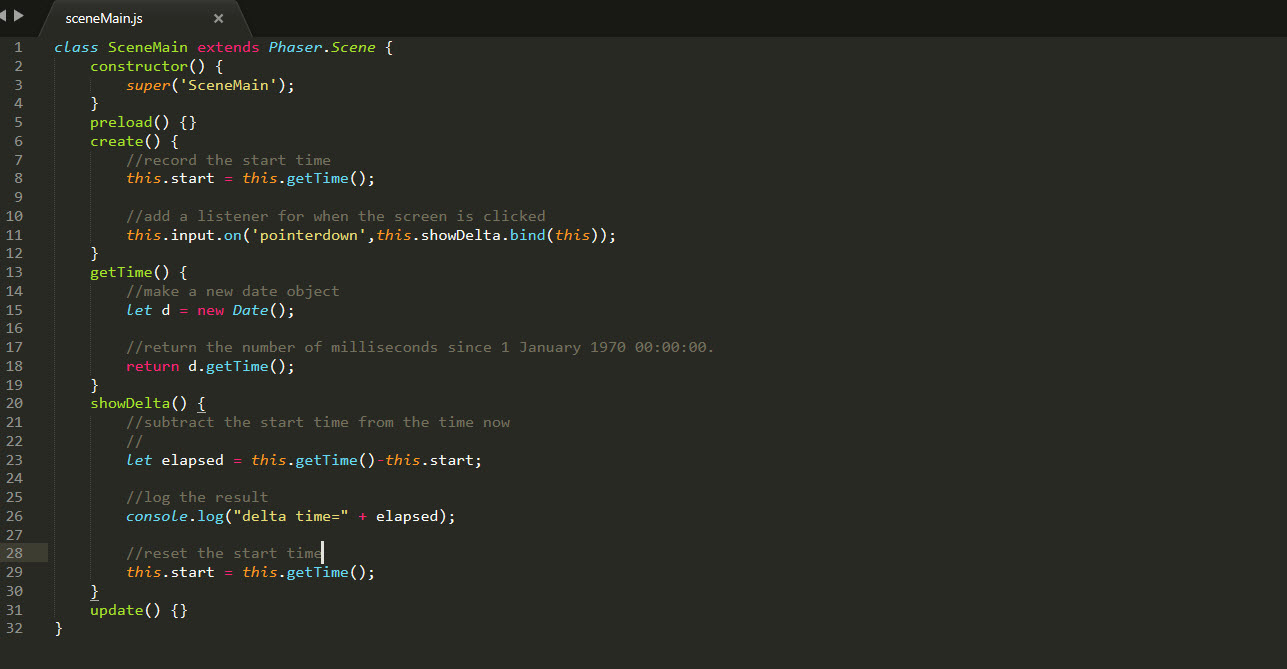
Recently I had a project that required me to use Unity and I liked how the deltaTime was built in. I’ve been using elapsed time in a lot of code from Flash to Phaser, but it occurred to me that developers that were moving between Unity and Phaser might be looking for a way to

How to get Delta Time in Phaser 3 Read More »

Change Image On Click

Change image when clicked

Leave a Comment / Phaser 3 / William

I received a request for help from another developer who wanted to be able to click on different cards and have a big image of that card appear so I offered to give him my solution and here it is below. I’ve tried to keep everything very simple and I’ve made a corresponding video to

Change image when clicked Read More »

How to set an Image anchor/point of origin in Phaser 3

Leave a Comment / Q&A / William

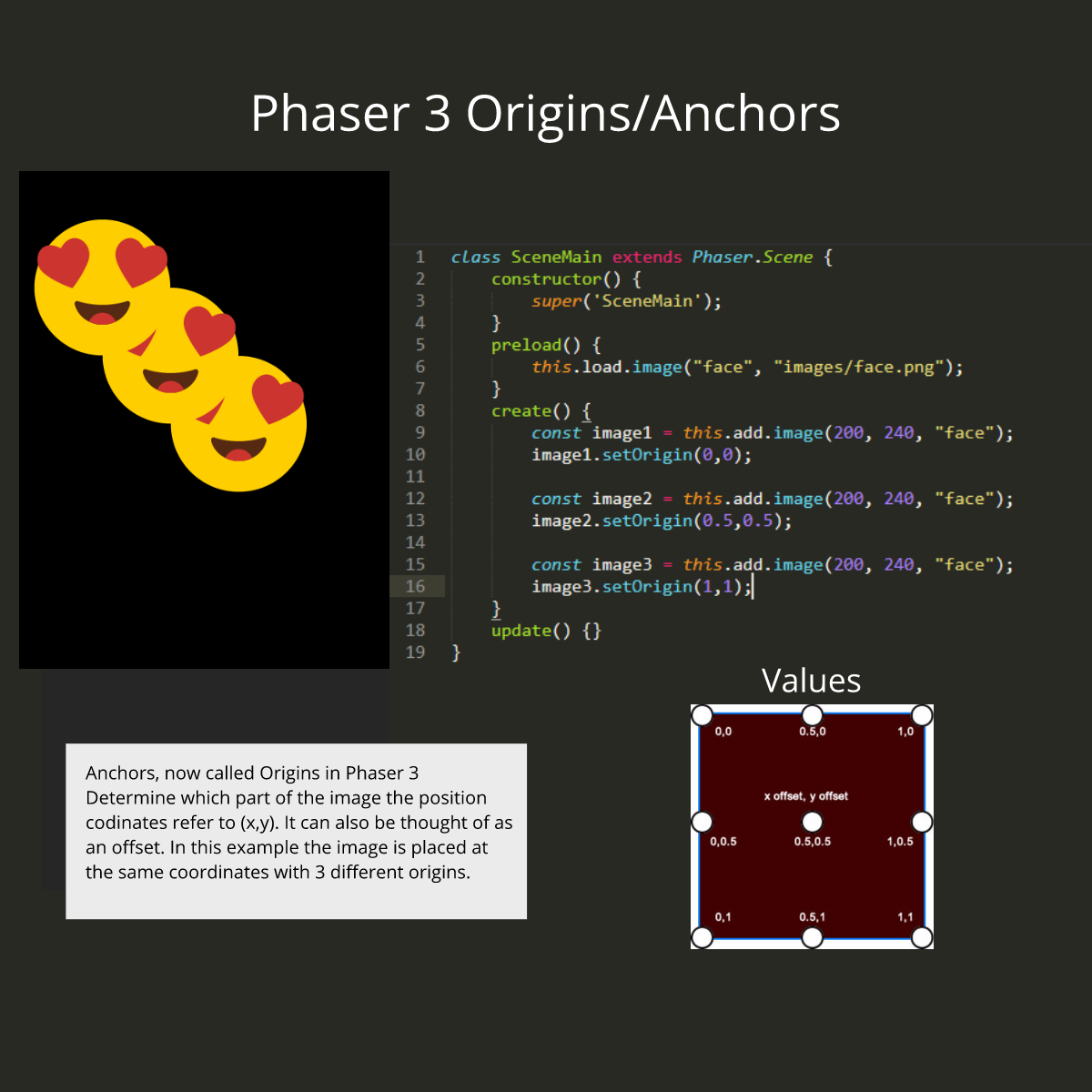
The anchor or point of origin refers to what part of an image or object the X and Y position refer to. In most cases, this will be the top left corner or the middle of the image.

How to set an Image anchor/point of origin in Phaser 3 Read More »

climbing ladders

Using Ladders in Phaser 3

Leave a Comment / Phaser 3 / William

Using ladders in Phaser 3 is tricky. Not only do you need to detect when a player touches the ladder, but you also need to know when it stops touching as well. The technique that I’ve decided to use here, will allow us to call a function to check if any ladder is being touched

Using Ladders in Phaser 3 Read More »

1 2 … 8 Next →

Phaser Snippers

  • Phaser 2 Snippets
  • Phaser 3 Snippets

Guides

  • Learn JavaScript Classes in 10 minutes
  • Phaser 3 Basics – Images, Text and Click
  • Set Up Phaser 3 Project Template
  • Scaling in Phaser 3
  • Dispatching Custom Events
  • Change image when clicked
  • Extend a sprite in Phaser 3
  • Image anchors

Affordable Game Assets

Subscribe for Updates!

JavaScript For Beginners – Free Course

Join The FaceBook Group

Facebook Group

Create and Publish HTML5 Games in 24 Hours

Create and Publish HTML5 Games in 24 Hours

Recent Posts

  • Loading TIleMaps in Phaser 3 and JSON
  • How to use Phaser 3 TileMaps
  • Floating in Phaser 3
  • How to make a health bar in Phaser 3
  • How to flip a sprite in Phaser 3
Copyright © 2025 Phaser Games | Powered by Astra WordPress Theme